A modern console for the Passap E6000
The E6000's electronic console has had its day: a display of a few characters, keypad programming, limited memory. knitron replaces it with a comfortable screen and a discreet box, without changing anything on the machine.
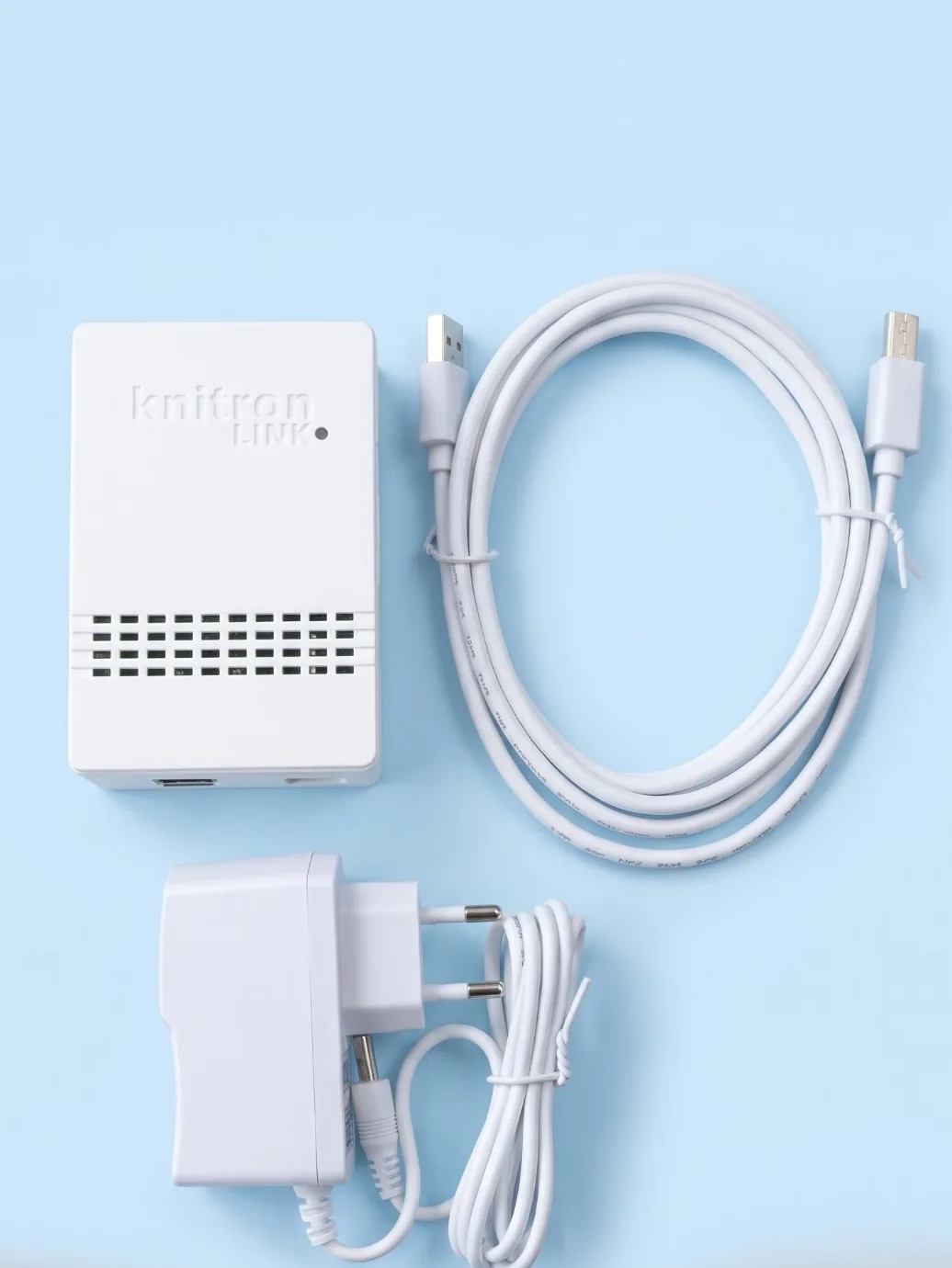
The KnitronLink
It follows every step of the lock, knows which way it is moving and recalibrates itself each time it passes the mark. At the right moment, it selects the pattern needles, in either direction.
At the end of the pass, it tells knitron and gives a discreet beep.
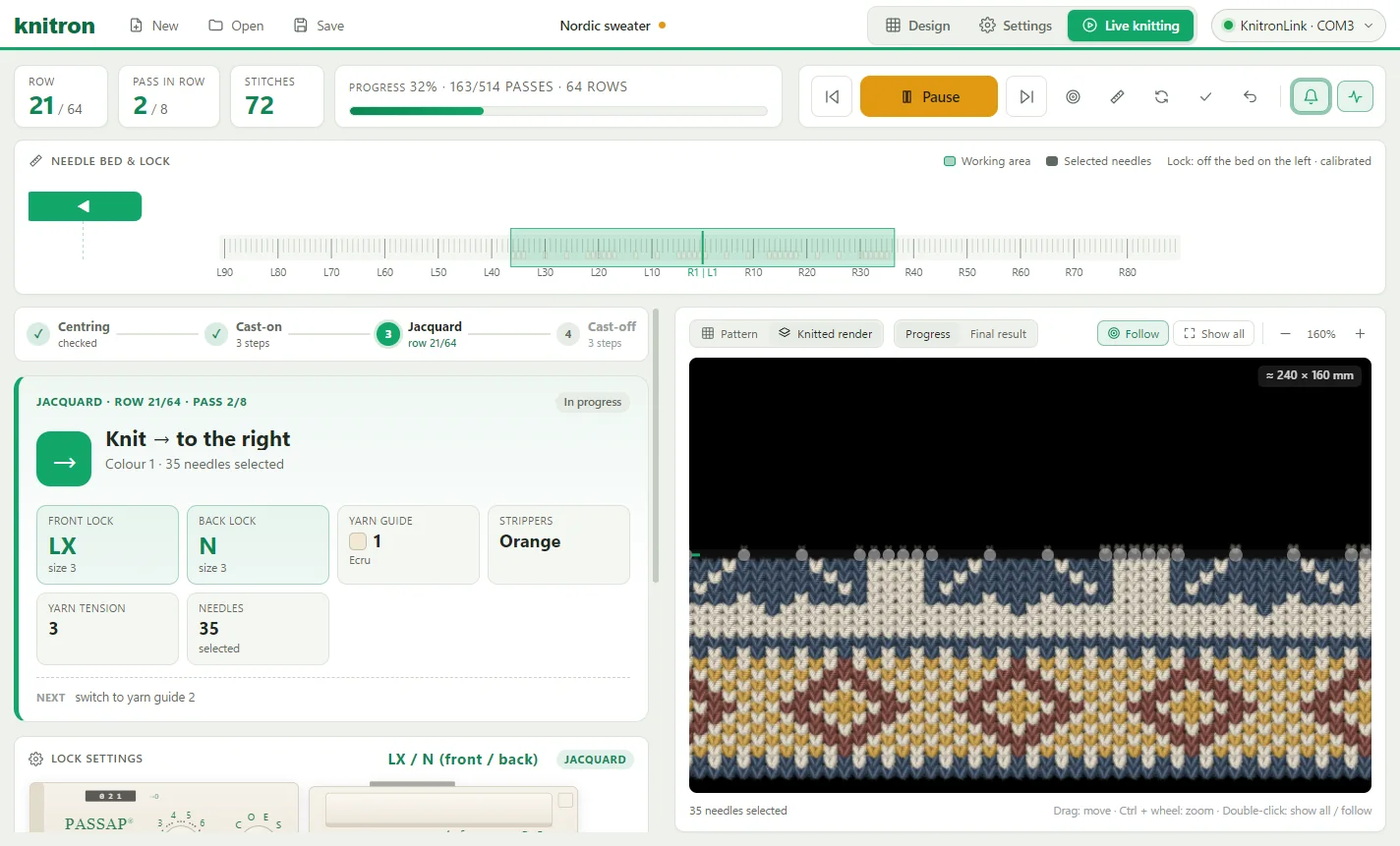
The knitron software
It prepares everything beforehand: pattern, colours, shaping, position on the bed and lock settings, from cast-on to cast-off.
While you knit, it sends each pass to the box and shows you, at a glance, what to do.
The KnitronLink, ready to use
Assembled and tested before shipping. It sits next to the machine and is connected in two minutes.
From idea to knitting
- Design: draw or place a motif, choose your colours, add the decreases.
- Set up: check the position of the levers, dials and keys for each step.
- Centre: two empty passes confirm that the pattern falls on the right needles.
- Knit: cast-on, jacquard and cast-off follow one another, guided on screen.
What it can and cannot do
Machines
Passap E6000 and Pfaff Electronic 6000, with their original electronic front lock.
2 to 4 colour jacquard
Double bed, one colour per yarn guide. The back is set on the back lock, as with the console.
Selection on the front
Only the front lock selects needles: electronic birdseye on the back bed is not possible.
Hand manipulations
Stitch transfers remain manual; knitron tells you which ones to do, and when.
Without a licence
knitron can be installed and used freely for design. A licence unlocks knitting with the KnitronLink.
Reversible
Nothing is modified on the machine: plug the original console back in whenever you like.
Acknowledgements
knitron builds on work shared by the machine-knitting community, in particular the Knitty project (Hackerspace Bamberg) and the Knitstudium tutorial on the E6000 without its console. Many thanks to them.