Pattern centring
The KnitronLink tracks the lock to the half-step. It remains to check that the pattern falls exactly on the intended needles: that is the job of the centring assistant, in two empty passes.
Lock calibration
Each time the lock passes the mark on the right side, the KnitronLink recalibrates itself. After switching the box back on, simply bring the lock to the right, off the bed, then move back to the left. The “calibrated” status is shown above the needle bed and in the Machine panel.
The centring assistant
It offers itself before the cast-on of a new piece, and remains available from the target-shaped button in live knitting.
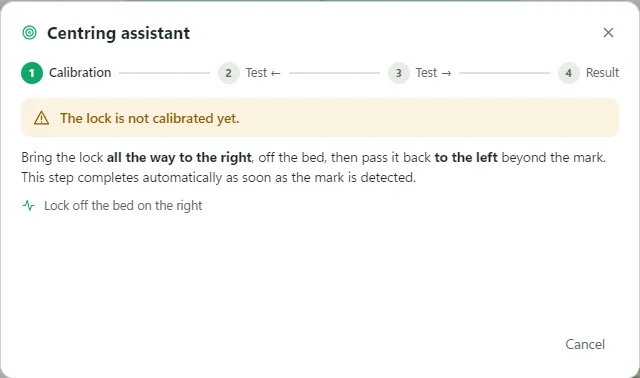
- Set the locks as shown, without yarn.
- Pass to the left: only the two edge needles of the pattern are raised. Tell the assistant which ones you see.
- Same thing to the right.
- If there is an offset, the assistant corrects it and offers a new check.
The correction is remembered: once your machine is well adjusted, the assistant simply confirms the centring.
Correcting by hand
In the Machine panel, Pattern centring section: indicate by how many needles the pattern falls too far to the left or right, then Correct.
Just below, Lock display adjusts the position of the lock drawn on screen, if it does not match the real one. This setting only affects the display.
