Drawing a pattern
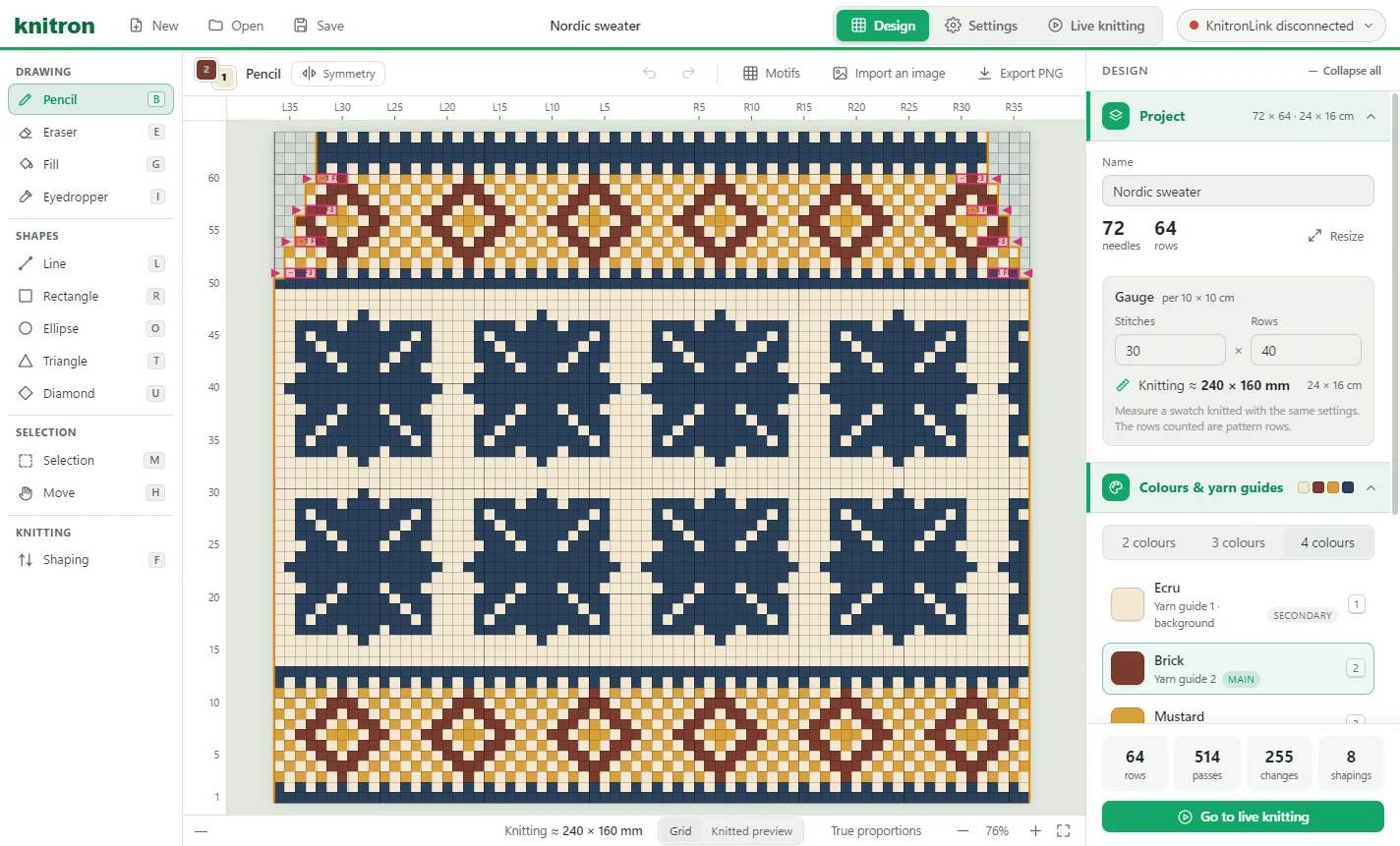
The Design tab is your drawing board: a grid where each square is a stitch, the tools on the left, the project on the right.
Creating a project
New (Ctrl+N) asks for the essentials:
- a name;
- the width in needles (up to 179, the whole bed) and the height in rows;
- the number of colours, from 2 to 4;
- the technique: Jacquard (2 passes / colour) suits most double-bed jacquards.
The project is saved in a .knitron file (Ctrl+S): pattern, colours, settings and knitting progress are all inside.
The tools
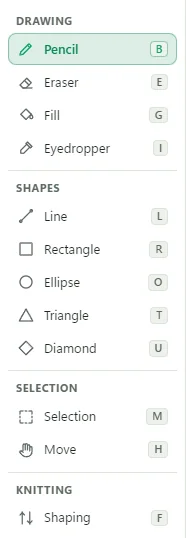
Each tool has its shortcut, shown to the right of its name.
- Pencil and Eraser: stitch by stitch. The Symmetry option draws in mirror.
- Fill: a whole area at once, limited to the selection if there is one.
- Eyedropper: picks up the colour of a stitch.
- Shapes: line, rectangle, ellipse, triangle, diamond, outlined or filled. Shift keeps the proportions.
- Selection: to move, copy or repeat part of the pattern.
- Move (or hold Space): drags the view.
- Shaping: see Increasing, decreasing.
Zoom with Ctrl + wheel; 0 to see everything. Ctrl+Z undoes, Ctrl+Y redoes.
Colours and yarn guides
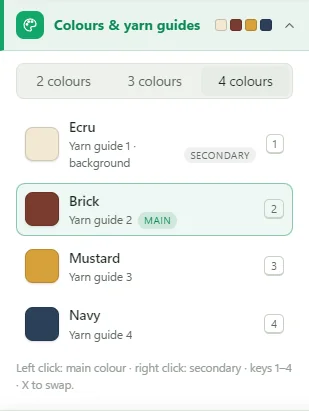
Each colour corresponds to a yarn guide of the colour changer; colour 1 is the background.
- Click the swatch to choose the shade, and the name to edit it.
- Left click: main colour. Right click: secondary colour.
- On the keyboard, 1 to 4 choose the colour, X swaps main and secondary.
On the grid, left click draws with the main colour, right click with the secondary one. At the bottom of the panel, the plan summary shows the number of rows, passes and colour changes.
Working with a selection
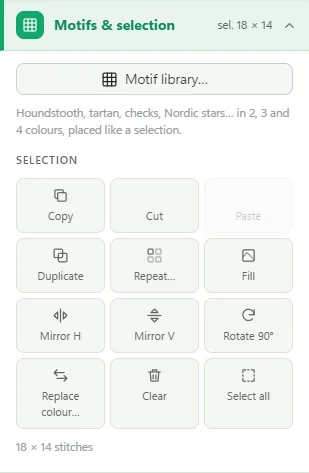
- Ctrl+C, X, V: copy, cut, paste.
- Ctrl+D duplicates alongside; Ctrl+R repeats as tiles, up to the edge if you wish.
- Shift+H or V: mirror; Shift+R: rotate.
- Drag the selection to move it, with Alt to copy it. Enter places it, Esc cancels.
Import an image reduces a photo or a drawing to the project's number of colours: ideal for a logo or an illustration, to be touched up with the pencil afterwards.
Position on the bed
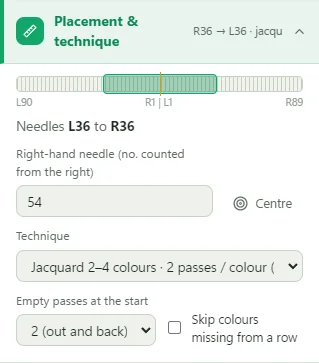
The Placement & technique block positions the pattern on the bed. Enter the right-hand needle, or click Centre.
Numbering follows the machine: L90 … L1 | R1 … R89, with no needle 0. The centre of the bed lies between L1 and R1.
Empty passes at the start adds back-and-forth passes without yarn, which let the lock calibrate itself before the first row.