The library
87 jacquard modules, in 2, 3 and 4 colours, supplied with knitron. Each one comes with colours that suit it. See all the motifs.
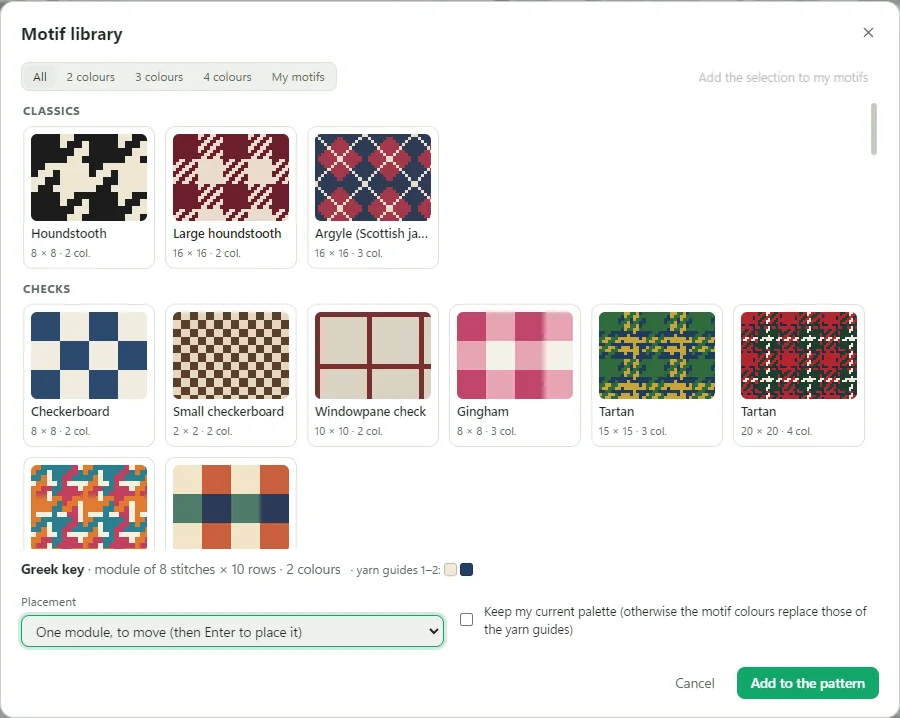
Opening the library
Click Motifs, at the top of the editor, or in the Motifs & selection block. Motifs are grouped into families (classics, checks, Nordic, Christmas, animal prints, geometric…) and can be filtered by number of colours.
Placing a motif
Choose a motif (a double-click is quicker), then how to place it:
- One module, to move: the motif appears in the centre of the view. Drag it, then press Enter. Afterwards, Ctrl+D duplicates it and Ctrl+R repeats it.
- Repeat in the selection: fills the selected rectangle.
- Repeat over the whole pattern: covers the whole grid.
If the motif has more colours than the project, knitron adds what is needed.
Its colours, or yours
By default, the thumbnails show the suggested colours, and those are applied to the yarn guides when placing. Tick Keep my current palette to see and place everything with your own colours.
Nothing is fixed: change a shade in the Colours & yarn guides block and the whole pattern follows.
Your own motifs
Select an area of your drawing, open the library, give it a name and click Add the selection to my motifs. It joins the My motifs tab, ready to be used again.