Lock settings
The Settings tab describes, step by step, how to set the front lock and the back lock, from cast-on to cast-off. Live knitting reminds you of the right setting at the right moment.

Four phases
- Cast-on: the starting rows, knitted by hand, without selection.
- Calibration: a few empty passes to recalibrate the lock.
- Jacquard: the heart of the knitting, selected by the KnitronLink.
- Cast-off: the finish.
The suggested plan suits a classic double-bed jacquard; every step can be changed, and Back to the default plan puts everything back in order.
A step
Each step draws both locks just like the real ones, with the number of passes, the direction, the yarn guide, the strippers, the tension and a free instruction.

- Front lock (the one with the handle): N ↔ X lever, stitch size dial from 1 to 8, letters K L C O E S G U.
- Back lock: N ↔ X lever, stitch size dial, letters A to H, pusher keys ← 0 →.
Set them with the controls under each lock, or directly by clicking on the drawing.
Notation
Settings are written “front / back”. Lever on N: N, plain stocking stitch. Lever on X: the letter followed by X. So LX / N means front lock on L with selection, back lock in stocking stitch.
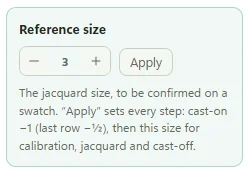
Reference size
This is the stitch size of your jacquard, to be confirmed on a swatch. Apply extends it to the whole plan: a slightly tighter cast-on, then calibration, jacquard and cast-off at this size.
A step can also be marked manual: live knitting shows it and waits for your go-ahead.