Documentation › Designing
Increasing, decreasing
Armholes, necklines, sleeves: shaping gives the knitting its form. knitron draws it on the grid and reminds you of it at exactly the right row.

Two methods
- At the edge: the edge stitch joins its neighbour (decrease), or one more needle comes into work (increase). Quick and simple.
- Fully fashioned: a group of N edge stitches is moved with the transfer tool. The decrease happens inside the fabric and gives a neat selvedge.
Adding shaping
- In the Shaping block, enter the row, the number of stitches and the side (both, left or right).
- Choose the method; for fully fashioned, set the offset (often 3 stitches).
- Click Increase or Decrease.
More direct: with the Shaping tool (F), click a stitch and the edge passes through it from that row onwards.
Progressive shaping… repeats the action at regular intervals: for example, one stitch on each side every 4 rows, 6 times.
Each shaping step appears in the block's list, where its method can still be changed, and in pink on the grid.

While knitting
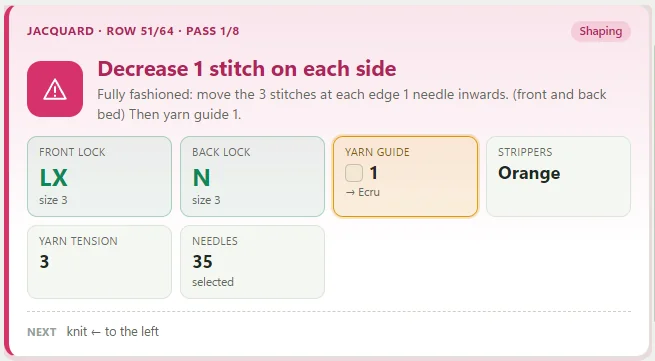
When a shaped row comes up, with the lock on the right, the action card turns pink and describes what to do. The KnitronLink beeps three times, and the needle bed shows the stitches involved.